v0.2.12 public beta · Windows · macOS · Linux

Grok, Claude Code, Codex —
one desktop app.

Pick your agent per tab and run them side by side: chat, build entire apps, preview them live, generate images and video, and talk by voice — all in one window. Antigravity and other ACP-compatible agents plug in too. You never have to touch a terminal: if you've used an AI coding assistant, you already know how to drive it — and the real terminal is still in there for when you want it.

Free · open source · macOS app coming · Linux available

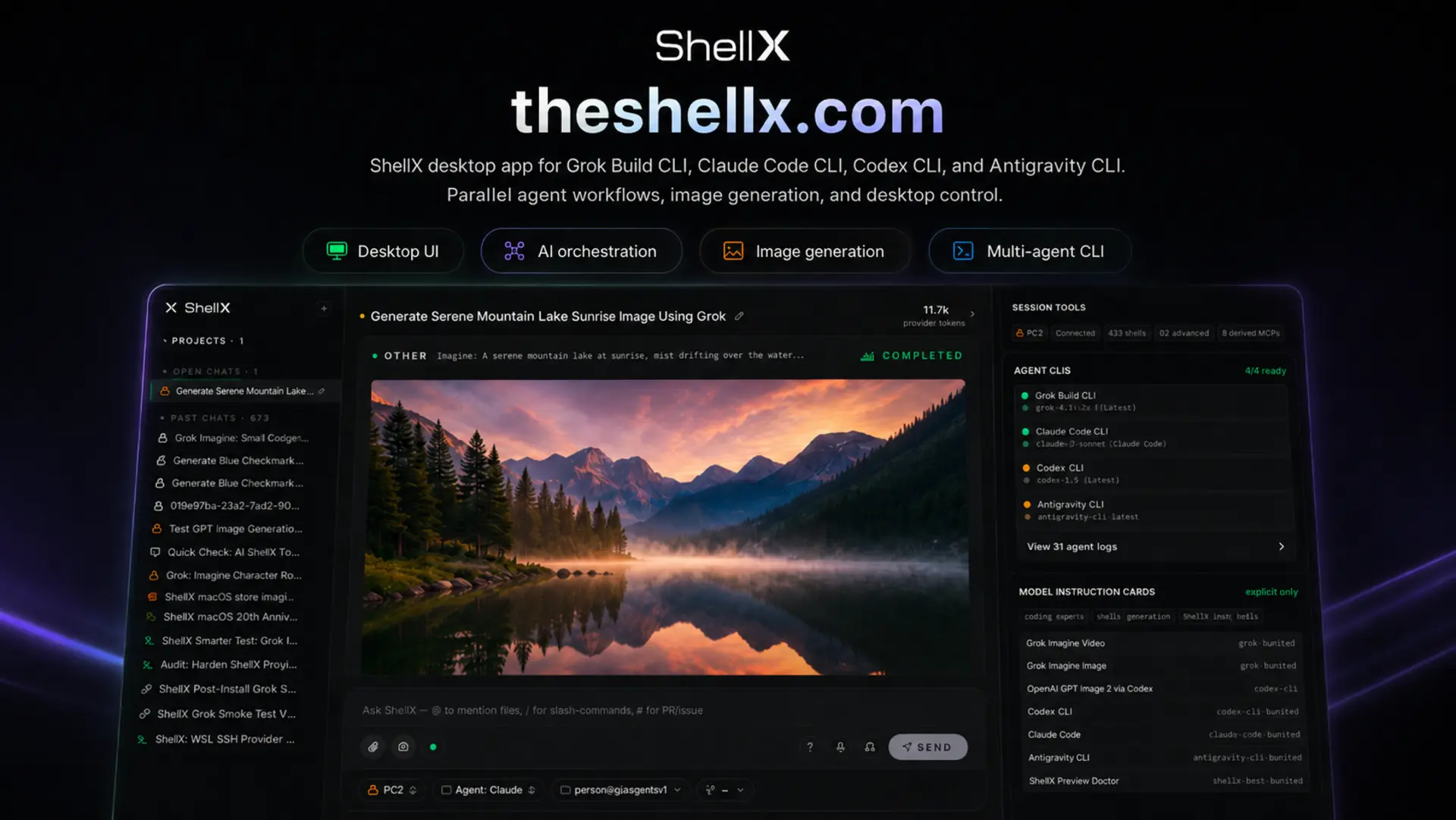
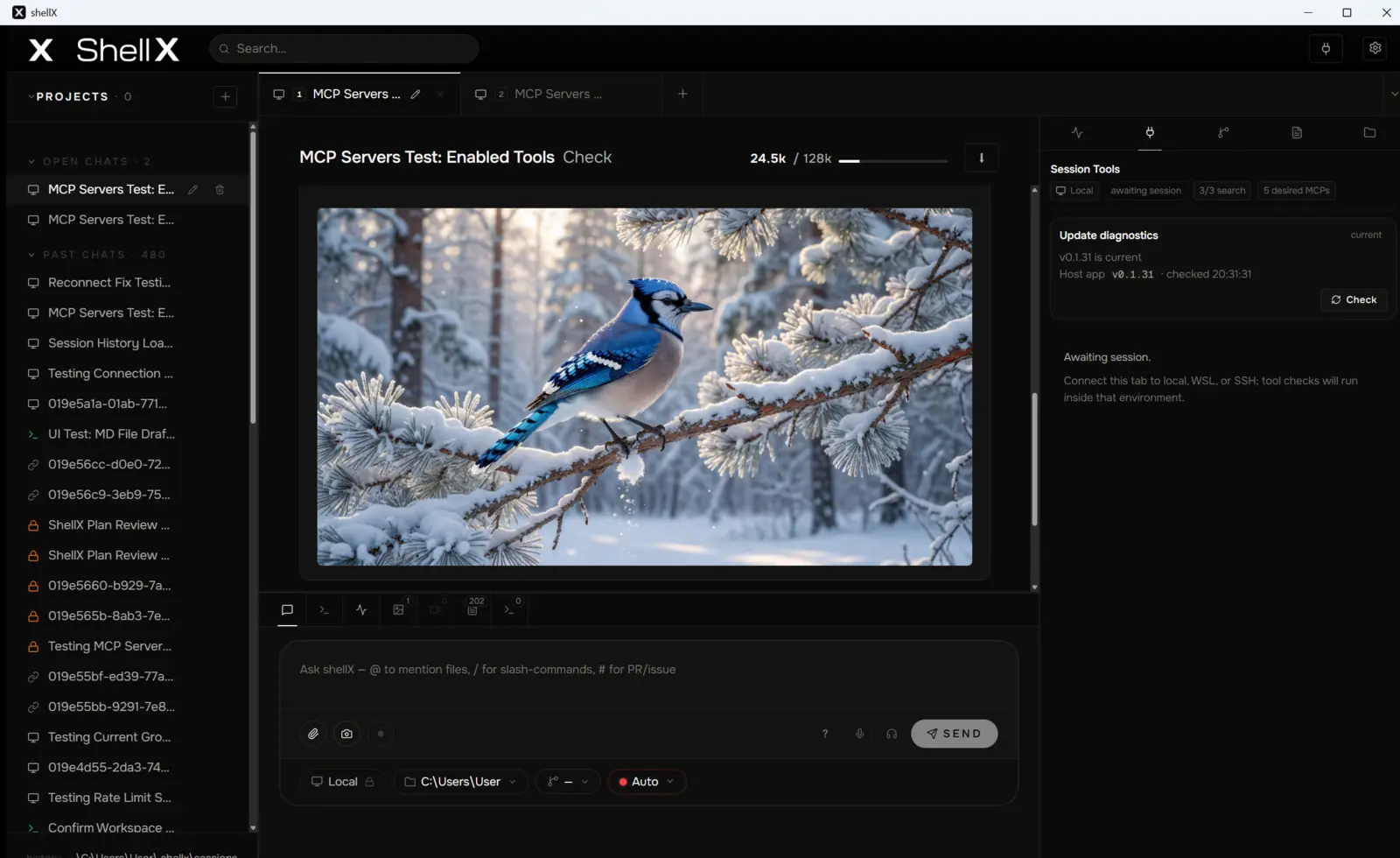
shellX 0.2.12 — one desktop app for Grok Build, Claude Code, Codex and Antigravity CLI, shown running an in-app image-generation session with the projects rail and the agent-tools panel
At a glance Feature list

Everything it does,
in plain terms.

A factual rundown of what shellX v0.2.12 does today — no jargon, updated every release.

Pick any agent, then chat

  • Choose Grok Build, Claude Code, or Codex CLI per tab — and run several side by side, each its own agent with its own folder and history
  • Antigravity and other ACP-compatible agents plug in the same way
  • Decide per tab how much of shellX each agent can reach — its own native tools, a chosen set of shellX tools, the full host toolset, or none at all
  • Hand work from one agent to another with your approval — let one plan, another make an image, a third build
  • Talk to it by voice and hear it answer back, hands-free
  • Drag files onto the chat, paste them in, or right-click any file in Windows to send it straight to shellX — they land as tidy attachment chips, never raw paths
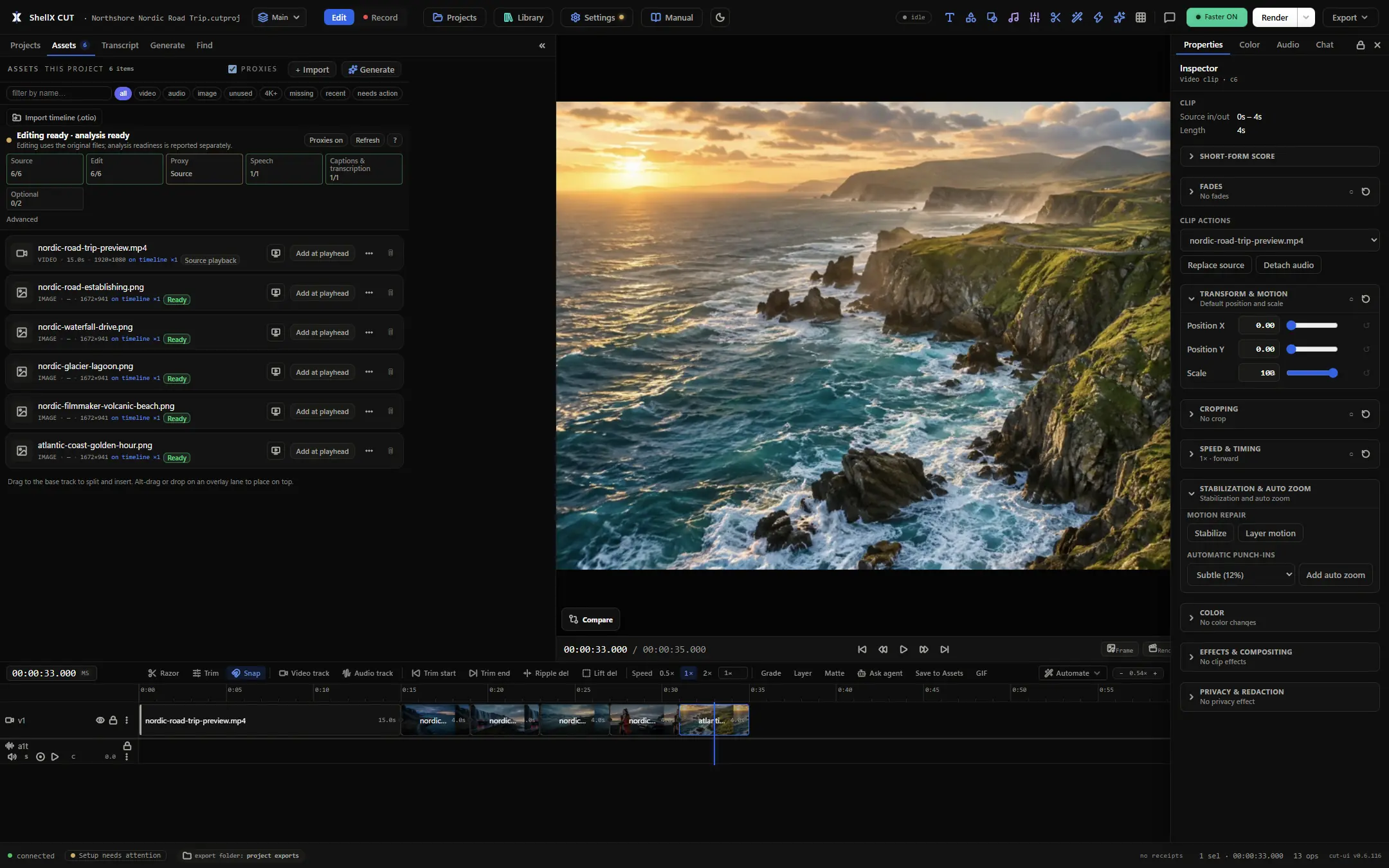
  • Preview code, PDFs, images, videos and web pages right inside the app, with everything it makes collected in one Assets board

Build a whole app, then watch it run

  • Run the website or Expo app it just built in a built-in preview — no setup
  • It screenshots the running app and looks at the result itself to catch what's broken
  • One /build command keeps it working across many steps until the job is verified done
  • Ask Fix sends any preview error straight back to the agent

Make images and video

  • Generate images and short video clips from a prompt, in-app
  • Powered by Grok Imagine through the same account you sign in with — no extra key
  • Everything it makes lands in a gallery you can browse and reuse

Give it the tools it needs

  • It reads, writes and searches your project files
  • It can take a screenshot and actually see your screen to check its work
  • Add more tools in one click from the built-in marketplace
  • Web search, web fetch and X search when your Grok account includes them
  • Review the session's Git — status, diffs, checkpoints and new worktrees — without leaving the app

Keep your secrets safe

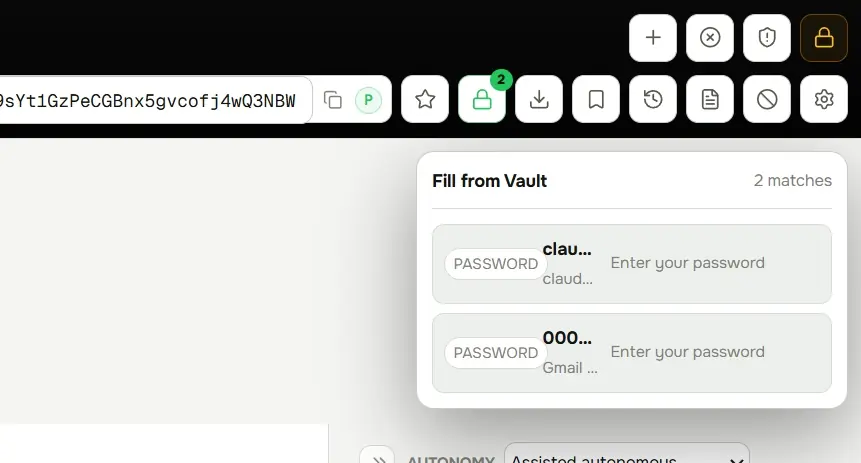
  • Built-in encrypted vault for your API keys and passwords
  • The agent uses them by name — they never appear in chat or logs
  • Signs in with your existing Grok account for voice and vision, no extra keys

Run it anywhere, connect anything

  • Your Windows PC with no setup — or inside Linux (WSL), or a remote server over SSH
  • Message your agent from Telegram or Discord, with sender allowlists
  • Back up or hand off any session as a single zip file
  • Drive shellX from your own scripts with a secure, on-your-machine API
Work Preview · running · an agent-built app, live in shellX
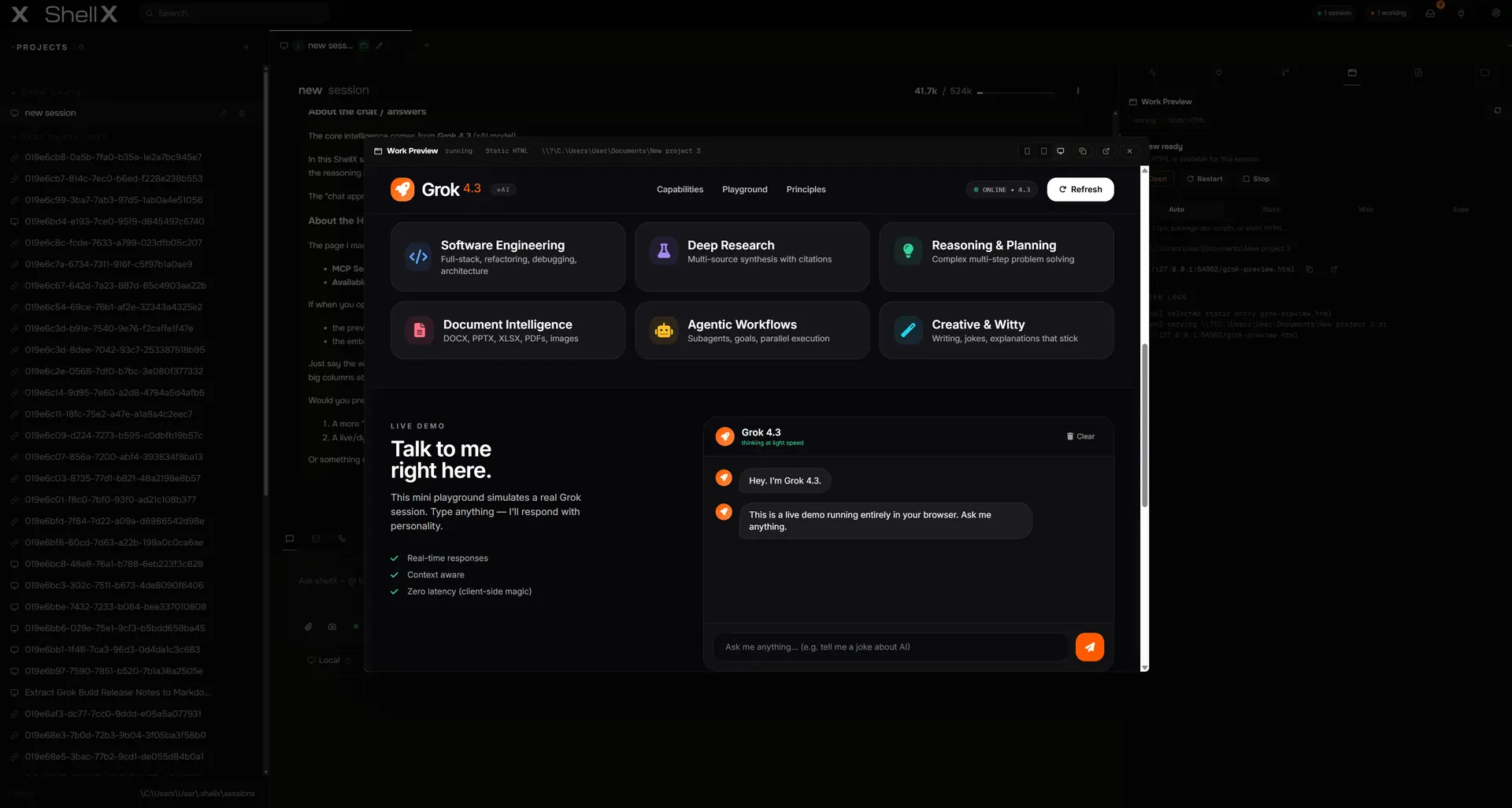
shellX running a web app it built, in the Work Preview panel, with logs and a live status pill
01 Live preview

It builds the app.
Then it looks at it.

Ask shellX to build a website or an Expo app and it runs it for you — a local preview server, right inside the window. Then it does what a chat box never can: it takes a screenshot of the running app and inspects it with its own eyes. A blank screen, a button in the wrong place, a console error — the agent sees it and fixes it before it ever tells you it's done.

  • Static sites, web apps, and Expo web — one click to run
  • Preview Doctor checks HTTP status, server logs, and a real first-page screenshot
  • Loopback only — the preview never leaves your machine
  • Hit Ask Fix and the failure goes straight back to the agent
A /build run · receipts, gates, and the live scratchboard
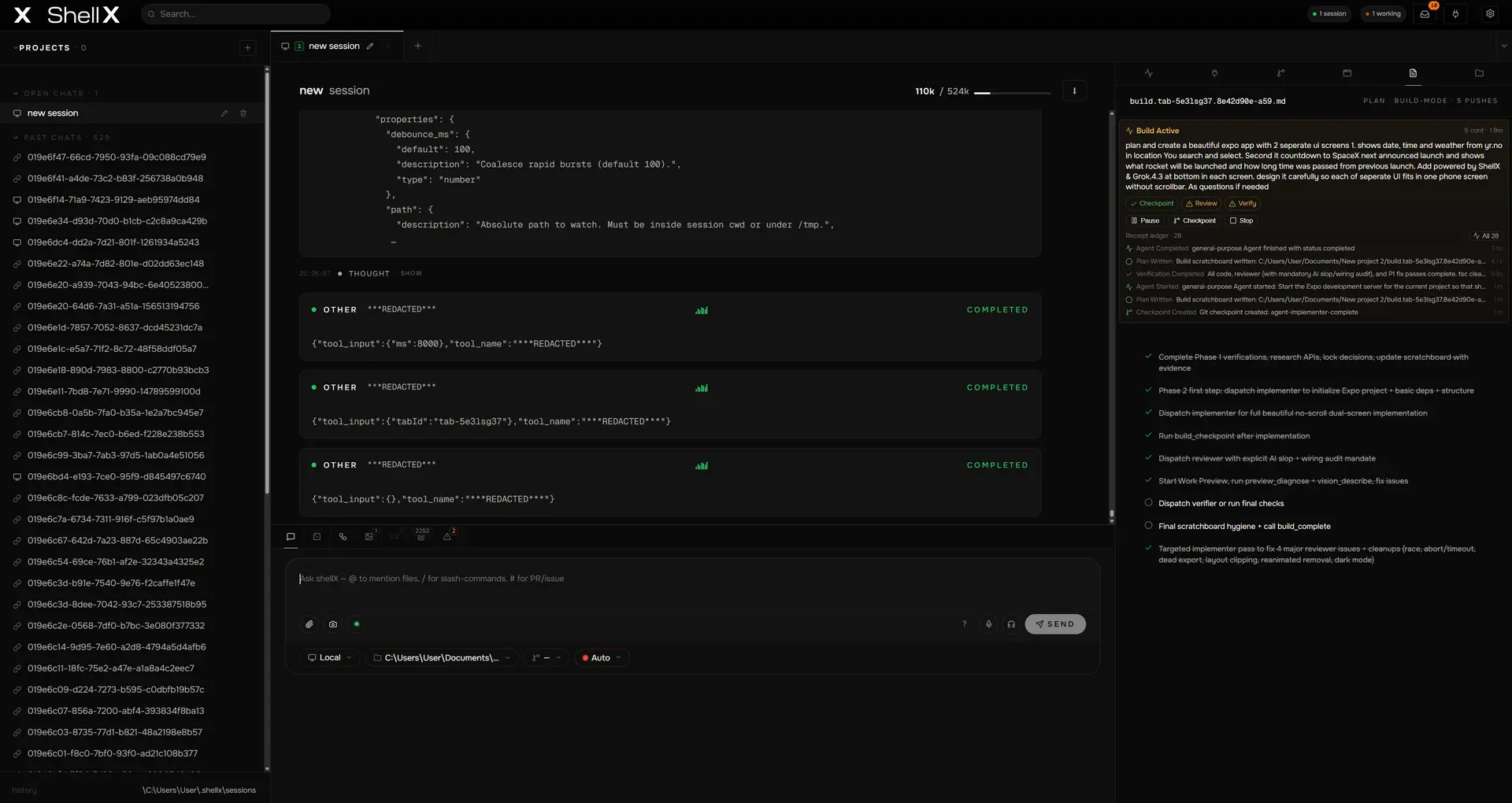
shellX /build cockpit — a receipt log of completed gates next to the live build scratchboard
02 /build

Hand it the goal.
Walk away.

Type /build "make this production-ready" and shellX runs a long-horizon build: it writes a plan, works through it, and refuses to claim it's finished until the work is verified. A reviewer subagent checks the code, a verifier runs the gates, and anything with a UI has to come back clean from the live preview. Every step is logged as a receipt — plan writes, file changes, checkpoints, completions — so you can read exactly what happened.

  • The plan is a plain file, build.md — edit it, share it, version it
  • Approval gate up front; /pause and /resume any time
  • Type a note while it's running — it folds into the build at the next safe step, no restart
  • Won't mark itself complete while a check fails or a blocker is open
  • Close the laptop mid-build, reopen tomorrow — it picks up from the plan
Image generation · in-app, from a single prompt
shellX showing a generated image in its media view
03 Create

Borrow one agent's
superpower in another.

Image and video generation are built into every session — so you can be deep in a Claude Code or Codex build, ask for a picture, and get it without switching tabs. shellX routes the request to Grok Imagine on your Grok account, or to GPT Image through Codex, drops the result straight into your conversation, and the agent uses it right away. Grok Imagine also makes short clips with native synced audio — all collected into their own gallery.

  • Call Grok Imagine or GPT Image from inside any agent's session — no tab-switching, you just ask
  • Grok Imagine rides your Grok subscription; Codex sessions can use GPT Image — nothing extra to wire up
  • Cinematic stills plus short video with native synced audio, callable as first-class host tools
  • Generated media resolves across local, WSL and SSH, and carries between agents
04 Trace

See everything
the agent did.

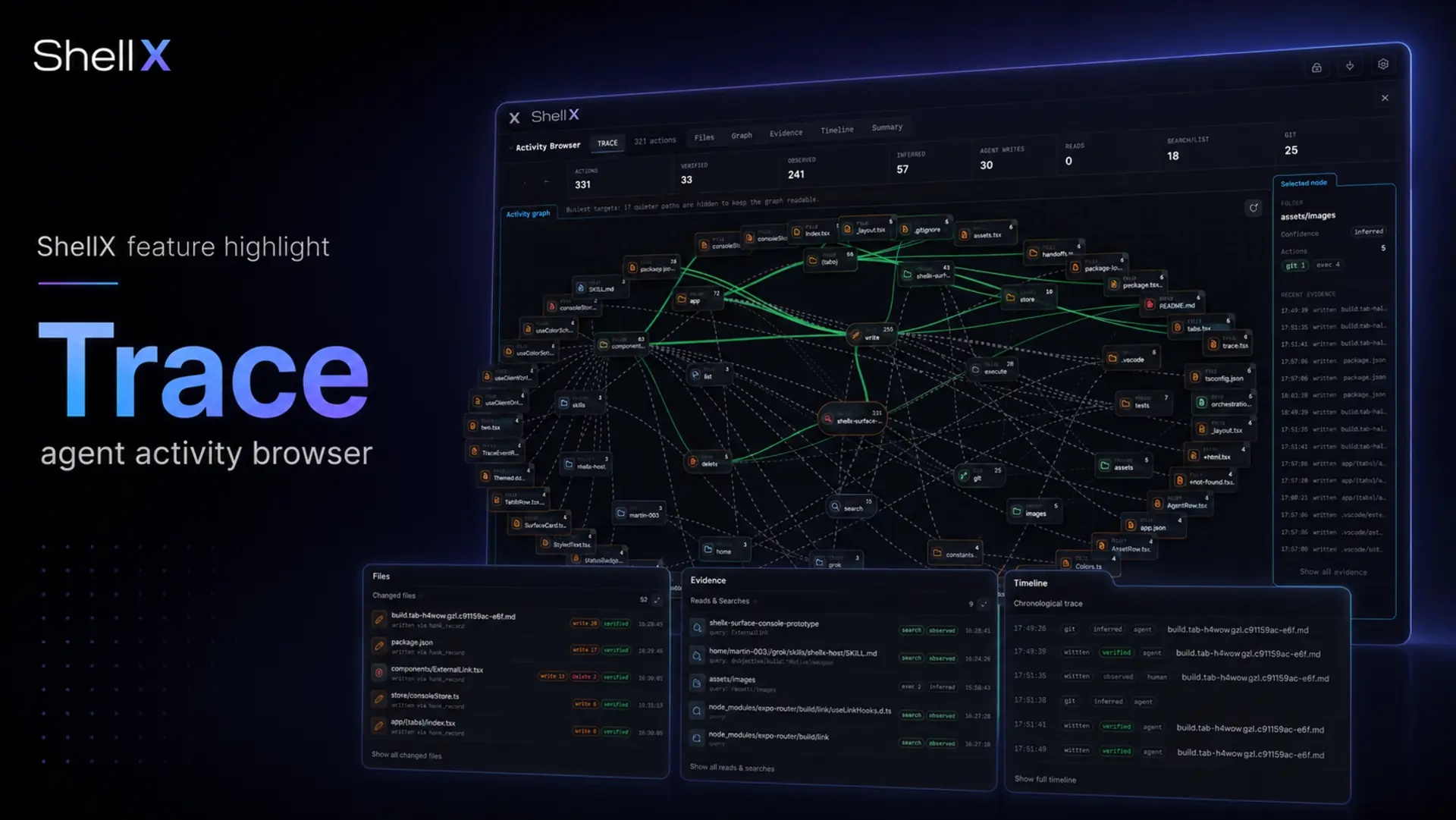
Open Trace on any session and shellX draws its activity as a live graph — every file it read, searched, wrote or deleted, every git move, every subagent it spawned, every build receipt, with the media it made linked right in place. Resize the evidence panels for a records-heavy run, and search the whole trace by path, command, query, tool, source, or timestamp. Running several agents at once? Trace rolls their activity into one report you can watch from outside the window.

shellX Trace — the Session Activity Browser, showing a session's file, search, git, subagent and build activity as a connected node graph above resizable evidence panels
05 What the agent can reach

It can see your screen,
write your files,
talk to your processes.

Sixty-one built-in tools the agent can call directly — the same set whether it's running on your PC, in WSL, or over SSH. Voice, vision, files, processes, secrets, and more. Toggle them per session.

surface · voice in / voice out

Talk to your agent. Hear it back.

Real microphone in, real spoken answers out — not a dictation gimmick. Push-to-talk for one-shot prompts; voice-chat mode re-arms the mic after every reply so you have an actual conversation while your hands stay on the keyboard. Uses your Grok account for speech, and now reads back Claude and Codex replies too — nothing extra to set up.

→ push-to-talk · voice chat mode · per-tab
tool · vision_describe

Give the agent eyes.

shellX captures your screen, sends it to Grok's multimodal model, and returns a description the agent can act on. Verify a deploy. Catch the dialog blocking your terminal. Audit a UI you just shipped — the same eyes that check its own live previews.

→ full desktop, active window, or a named window
FS fs_read / fs_write / fs_grep

Your files, in full.

Read any file. Write any file. Fast search across whole project trees. Scoped to a working folder, and every call is auditable.

PS process_list / process_signal

Processes are first-class.

List, inspect, signal, and read output from any process the agent can see. A build hung? It finds it and stops it without you ever leaving the chat.

screenshot / preview_diagnose

See, then act.

Grab the desktop, a window, or the live app preview, then pipe it into vision_describe for a closed loop: see → reason → fix. This is the engine behind the live preview check.

$ vault_get / vault_list

Secrets the agent can use.

An encrypted vault backed by your OS keyring. The agent calls a secret by name — the value never appears in chat, logs, or transcripts.

net_fetch / net_post

HTTP, with an audit trail.

Every request is logged with response codes and byte counts. Allowlist hosts per session. The agent stays on-rails.

subagents · implementer / reviewer / verifier

Parallelize without context bleed.

Dispatch isolated subagents from the running session. Each gets a fresh context window and a role-baked prompt, and reports back to the parent. The foundation under /build.

MCP marketplace

Add tools in one click.

Discover and install MCP servers from the public registry with a one-click UI, project-scoped or global. Any MCP server you already use elsewhere works here unchanged.

sessions · full-content search

Every chat, searchable.

Conversations are saved and searchable across history. Resume a week-old session by name. Export any session as a single zip for a teammate or for CI replay.

06 Runs anywhere

Local, WSL, or a server.
The same window.

shellX can run the agent on your Windows machine, inside a WSL distribution, or on a remote server over SSH — and carries its full toolset along wherever it goes. And when you do want a terminal, it's a real one: a true PTY, run vim or htop, no fake echo.

01 / Local Native

Local Windows

Real PTY via ConPTY. Run vim, htop, anything interactive. No fake terminal, no command echo simulator.

→ Settings · Connections · Local
→ binding ConPTY 200x60
→ host tools on 127.0.0.1
  ready  · grok-4.3
you> read C:\src\index.ts
  ok  · 142 lines
02 / WSL Tunneled

WSL Linux

Spawn the agent inside any installed distribution. The host toolset streams in — same tools, Linux paths.

→ Settings · Connections · WSL · ubuntu-24.04
→ entering distro
→ tools tunneled: Windows → WSL
  ready  · grok-4.3
you> grep -r 'TODO' ~/repo
  ok  · 7 matches
03 / SSH Remote

SSH

Any Linux box with SSH. Grok runs there; tools are tunneled back. No agent on your laptop, no inbound ports on the server.

→ Settings · Connections · SSH · prod-01
→ ssh forward: localhost ←→ remote
→ pty: 200x60 (xterm-256color)
  ready  · grok-4.3
you@prod-01> tail -f /var/log/app.log
  ok  · streaming
07 shellXagent — drive it from code

Every action,
also an API.

Everything you can click in shellX, another program can drive over HTTP — bearer-token gated, loopback-bound, origin-checked. Spawn a session, send a prompt, run a build, capture a screenshot, archive the workspace as a zip — without a human ever touching the window. The foundation for CI hooks and headless agent fleets.

shellxagent.orchestrate.curl
01# spawn a session against the WSL transport
02curl -X POST http://127.0.0.1:5757/connect \
03  -H "Authorization: Bearer $TOKEN" \
04  -d '{"tabId":"ci-build","cwd":"/home/me/app","connectionId":"wsl-1"}'
05
06# start a /build run and stream its receipts
07curl -X POST .../build/start -d '{"objective":"ship it","tabId":"ci-build"}'
08websocat ws://127.0.0.1:5757/events | jq '.kind'
09
10# diagnose the live app preview
11curl .../preview/work/state | jq '.status'
12
13# archive the entire session workspace as a zip
14curl -X POST .../tabs/ci-build/archive > bundle.zip
15status: ok · 14 events · 312 ms
surface · 90+ endpoints

Every UI action, scriptable.

/connect · /prompt · /build/* · /preview/work/* · /autonomy · /screenshot · /state/{header,sessions,subagents} · /permissions/:reqId/respond · /diagnostics · /tabs/:id/archive · vault · plugins · sessions/history. If a human can click it, an agent can drive it from outside.

WS /events (WebSocket)

Real-time event stream.

Subscribe with a single WebSocket. Every agent frame, every tool call, every build receipt, every permission request, every prompt completion lands typed and tagged with tabId.

async permission gate

Approve from outside the window.

When the agent asks for permission and autonomy is "Confirm", the request lands on the event stream with a reqId. POST a decision to /permissions/:reqId/respond — your orchestrator is the user.

/tabs/:tabId/archive

Reproducible session bundles.

One POST captures the working tree, the session scratch dir, every emitted event, and the active plan as a single zip. Drop the bundle in CI, replay deterministically.

bearer + origin gate

Loopback by default.

shellXagent binds 127.0.0.1, requires a per-install bearer token minted from the OS random source, and enforces an origin allow-list server-side. Your machine, no inbound ports.

POST /diagnostics

One call, every check.

Self-test the running install — files, tools, screenshot, vault, sessions, connections, settings, auth, and preview setup. Returns a structured pass/fail report your CI can gate on.

full surface @ docs/API.md

08 What shellX is not

The discipline
of refusal.

Every design choice has a corresponding rejection. These are ours.

  • / 01
    Another web wrapper Not a re-skinned chat tab in an Electron shell. Native Tauri 2 — real windows, real file access, real process control. It behaves like an app because it is one.
  • / 02
    Chat-only client No emoji-padded text-only loop. The agent has hands — files, processes, vision, voice, image and video gen — and it uses them.
  • / 03
    Slop No mock terminals. No gradient glassmorphism that costs 16MB of GPU. No animated mascot. No upsell modals. No telemetry beacons.
  • / 04
    A walled garden Open source. Bring your own agents and accounts — Grok, Claude Code, Codex, Antigravity — your own API keys, your own SSH keys. shellX is the workspace; the agents and the clouds are yours.
  • / 05
    For terminal people only You never have to open a shell. Preview, voice, vision, image and video gen, autonomous builds — all point-and-click. The raw terminal and scriptable API are there underneath for when you want them.
09 Technical specifications

Small surface.
Heavy lift.

Windows
available now
signed installer · WebView2 · 64-bit
macOS
coming soon
app is working · notarized release pending Apple Developer enrollment
Linux
available
deb · rpm · AppImage on each release · less deep-tested than Windows
Framework
Tauri 2
Rust core · React + TS · no Electron
Installer
~10 MB
NSIS · signed · auto-updating
Footprint
< 90 MB
RAM idle · single window · single process tree
Ready

Install once.
Build anything.

Free. Open source. No account required to install. Bring an agent — sign in to Grok, Claude Code, Codex, or Antigravity to start talking; new Grok accounts receive free credits.

NSIS · signed · Windows 11 · v0.2.12 public beta · auto-updating
Linux: .deb · .rpm · .AppImage · macOS — coming soon