01 / You
Personal
Personal
Your own browser — your logins, bookmarks, and history. The agent doesn't touch it unless you hand it a tab.
ShellX Browser is a real, native browser — and the agent can drive it. Browse normally in your own profile, or hand a tab over and let it do the web work: research, sign-ins, form fills, checkouts. It reads and clicks real pages, fills credentials straight from your encrypted vault without ever seeing them, and logs a receipt for every step. It isn't a separate app — it ships inside shellX, wired to the Vault and the same approval gates.
Part of shellX · Windows, macOS & Linux · free & open source
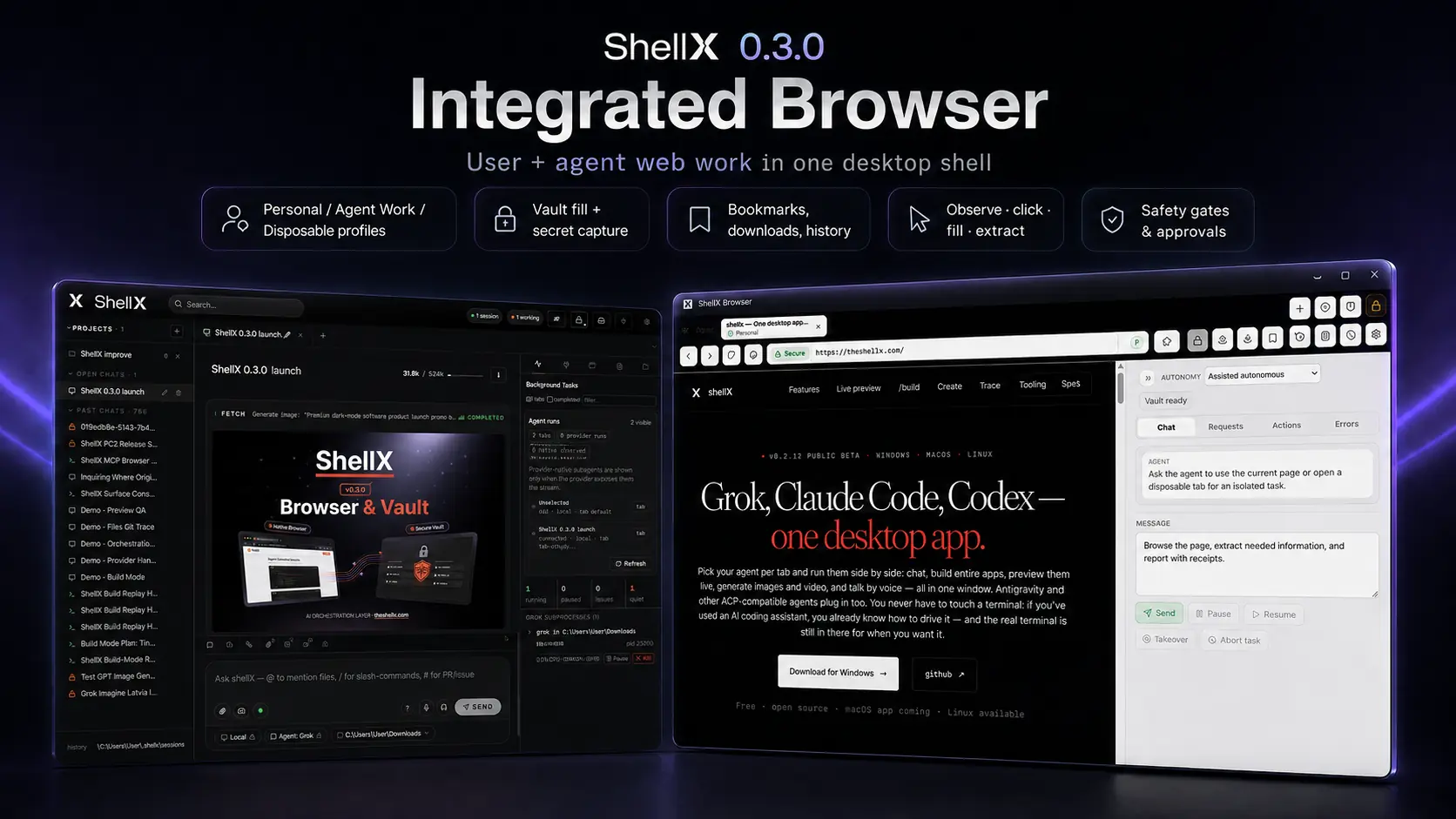
Every one of these runs on a real page in a real browser — gated by your approval where it touches a secret, and logged so you can read back exactly what happened.
Point it at a page and it reads the content back as clean, structured text, sees every element as a labelled reference, and clicks or types by reference — deterministic, not guessing at pixels or coordinates.
→ open · read · observe · click · typeWaits for an element or a condition before it acts, so it never clicks into a half-loaded page.
Fills usernames, passwords and API keys straight from your encrypted vault. The value never appears in the chat, the logs, or the page source — the agent uses the secret without ever seeing it, and only after you grant the request.
→ vault grant required · value never revealedName, address and card details fill from a saved profile card, with your approval — for checkouts and sign-ups.
Waits for the verification email and reads the one-time code, so a 2FA step doesn't stop the run.
Completes a checkout from an agent wallet you cap and approve — it can spend up to your limit, and nothing more.
Sees an API key or token on a page and deposits it straight into your vault — write-only, never read back into the chat.
Captures the page and checks it reached the state you expected before it moves on.
Saves a page, or handles a download as a real file on your machine — and hands you the path.
Open Trace and replay every navigation, click, fill and capture the agent made — fully auditable, nothing hidden.
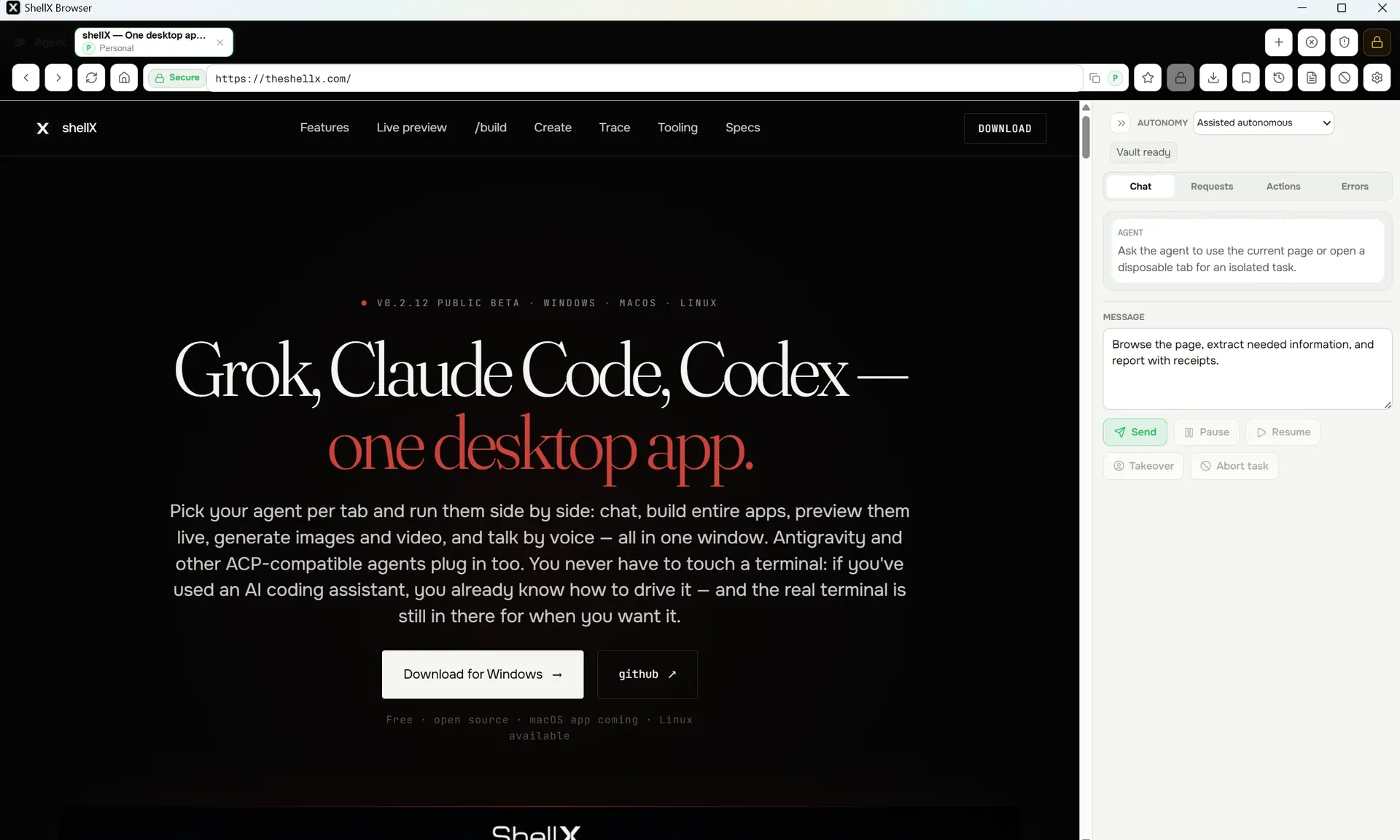
It's a native browser, not a remote-controlled Chrome — pages load fast and the agent reads the real page. Set how much rope it gets per tab, watch its actions land in the side panel, and take the wheel back any time with Takeover or Abort. Hidden behind it: locks so two agents never fight over one tab, and redaction so secrets never leak into what the agent sees.
/browser API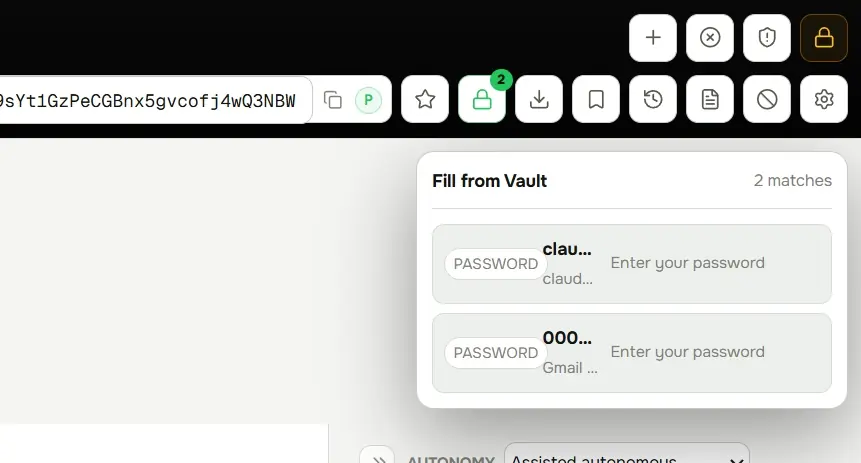
This is why the browser isn't a separate app. It's wired to ShellX Vault: passwords, API keys, profile cards, email accounts and agent wallets live encrypted, and the browser fills them by name or a scoped grant. The value never crosses into the chat, the logs, or the page source — and every sensitive step goes through the Vault Request Center for your approval.
Your everyday browsing, the agent's working browser, and one-shot throwaway tabs never share cookies, logins, or history.
Your own browser — your logins, bookmarks, and history. The agent doesn't touch it unless you hand it a tab.
A persistent profile for the agent's own sessions — it keeps the logins and state it needs across runs, kept apart from your personal browsing.
A clean, throwaway tab for one task — no shared cookies, no history. When the job's done, it's gone.
It's a browser you'd actually use — the agent features sit on top, they don't replace the basics.
The same actions the agent uses are scriptable over a local, bearer-token-gated HTTP endpoint — the one surface, with redaction, locks, receipts and Vault grants all enforced on every call. There's no raw automation back door around the gates.
full surface @
docs/API.md
The Browser is part of shellX — install once and you get the agents, the builds, the vault, and the browser together. Free and open source.